Understanding Your Connection: Why Does Latency Matter?

If you run a Speedtest, the number that probably gets your attention first is download speed, and for good reason. Speed determines how quickly you can download files, stream video, and share photos. Your Speedtest results also include another number that shapes how responsive your connection feels: latency. You can have a fast connection and still deal with a laggy video call, a frozen game, or a slow website, and high latency is often the cause.
Latency, also known as ping, is the time data takes to make a round trip from your device to a server and back, measured in milliseconds. Lower latency means less delay, which is critical for activities like online gaming. For reference, Nvidia recommends latency below 80 ms for its GeForce NOW cloud gaming service.
Latency can change depending on how your network is being used. A connection might respond quickly when nobody else is using it, but slow to a crawl when it’s busy. Ookla measures latency under different conditions, such as when your network is idle or busy. This provides a more complete picture of how responsiveness changes as network conditions evolve.
Why Latency Matters
Latency impacts how quickly your connection responds. Video calls, online games, and web browsing all rely on thousands of small exchanges between your device and a server, and each exchange adds a small delay. When latency is high, each exchange can take longer, often creating lag you can feel.
The effects of a slow response can appear in different ways. During a video call, for example, high latency can cause delays in the conversation. When you're browsing, it can make websites and apps feel slow to respond. And in a fast-paced multiplayer game, latency can be the difference between winning and losing a match, or whether your character lives or dies in a split-second firefight.
Responsiveness will become even more important as real-time AI assistants, cloud gaming, and other cloud-based applications become a bigger part of everyday internet use.
But not all latency measurements tell you the same thing. Ookla measures latency under different network conditions to better understand how responsive your connection is. Here are three measurements we'll explore:
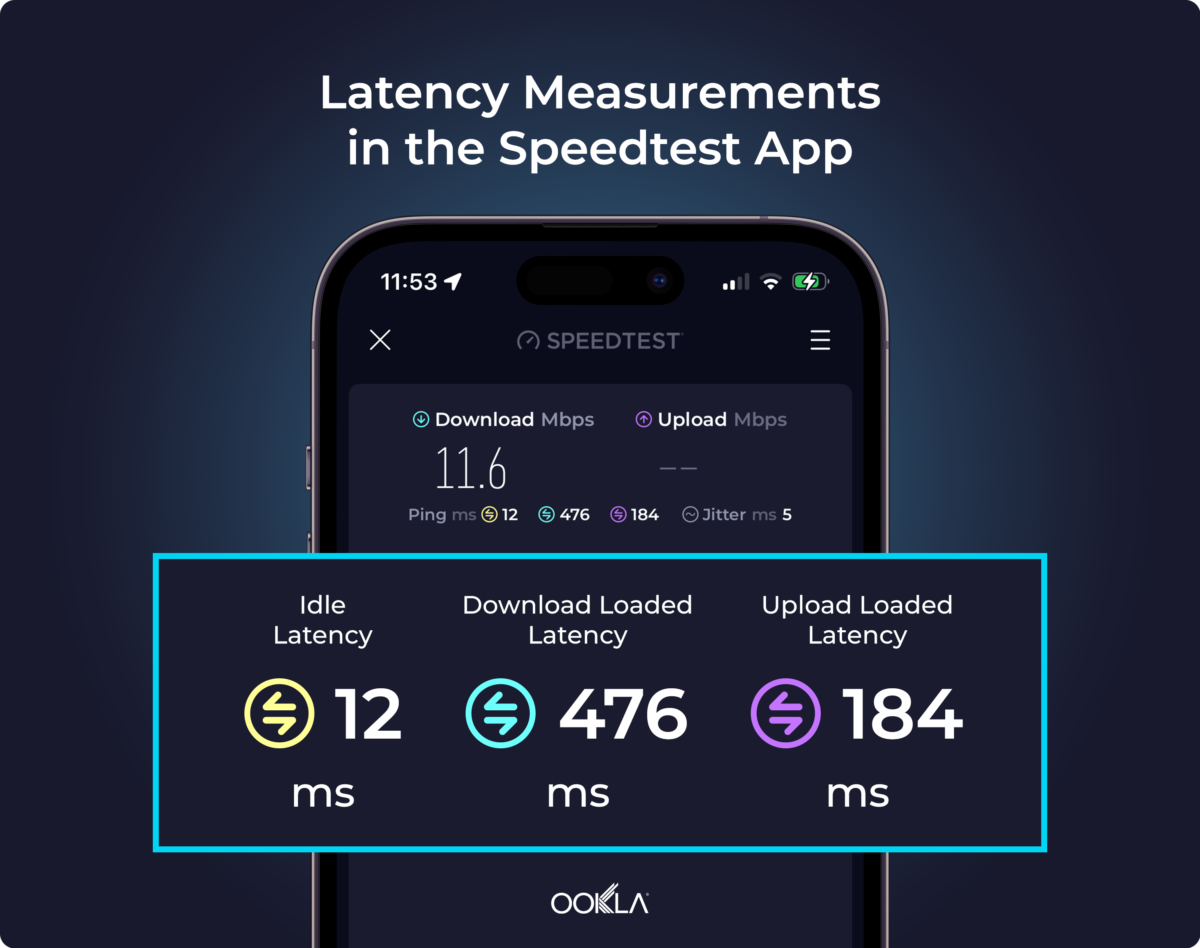
Idle latency: Your connection at its best
Idle latency, also known as primary server latency, measures how responsive your connection is when it isn't busy handling other traffic. Speedtest measures idle latency at the start of a test, before the download and upload portions begin. You'll see the result in your Speedtest app along with your speeds.
Idle latency is a good indicator of your network's best-case responsiveness. It reflects how quickly data can travel from your device to a server and back when nothing else on your network is competing for bandwidth.
That said, your network won't always be idle. When devices start streaming video, downloading updates, or uploading files, the added traffic can increase latency. That's why measuring latency while your connection is busy can tell you something that idle latency alone can't.
Loaded latency: Your connection under pressure
While idle latency shows how responsive your connection is under ideal conditions, loaded latency shows how it holds up when your network is busy. Speedtest measures loaded latency during the download and upload portions of a test when your connection is pushed to its limit.
When a large download or upload takes up most of your network’s capacity, smaller requests, like loading a webpage or sending a message, have to wait in line until there's room. Think of a grocery store with one open checkout lane: if the person ahead of you has a full cart, you have to wait, even if you're only buying a pack of gum.
If a game starts lagging or people on a video call start talking over each other, increased latency from other devices on your network could be the culprit. During a Speedtest, you'll often see loaded latency rise far above idle latency as the test pushes your connection to its limit.
Speedtest in-app results don't use the term loaded latency. Instead, you'll see two separate results:
- Download latency: How responsive your connection stays while downloading lots of data, such as a large game update.
- Upload latency: How responsive your connection stays while sending lots of data, such as a phone backing up photos to the cloud.
Multi-server latency: Your connection in the real world
Most of what you do online involves communicating with many servers, often in different locations. A single webpage, for example, might load text, images, and ads from several places at once, and each server has its own path to your device.
Distance plays a big role in latency. Data travels fast, but it still takes longer to reach a server on the other side of the country than one in your city. Longer trips also tend to involve more stops, as your internet provider hands your data off to other networks on the way to the server. And like a trip with connecting flights, each handoff adds time. Distance is also why the ping number many online games display may not match your Speedtest result; a Speedtest usually connects to a server near you, while a game may connect to one much farther away.
Multi-server latency measures how quickly your connection responds when communicating with several servers in different locations, reflecting how apps and websites work in the real world. Unlike idle, download, and upload latency, multi-server latency isn't part of your Speedtest results screen.
Ookla uses multi-server latency, along with other latency measurements, to understand how networks perform more broadly and help inform efforts by internet providers and policymakers to improve connectivity. You can read about our other latency measurements at the Speedtest methodology page.
Tips to lower your latency
Imagine you're gaming online and about to take the winning shot. Your screen stutters for a split second, your shot lands too late, and you lose the match. A sudden latency spike is often to blame, triggered by something else on your network, like a console downloading a big update in another room.
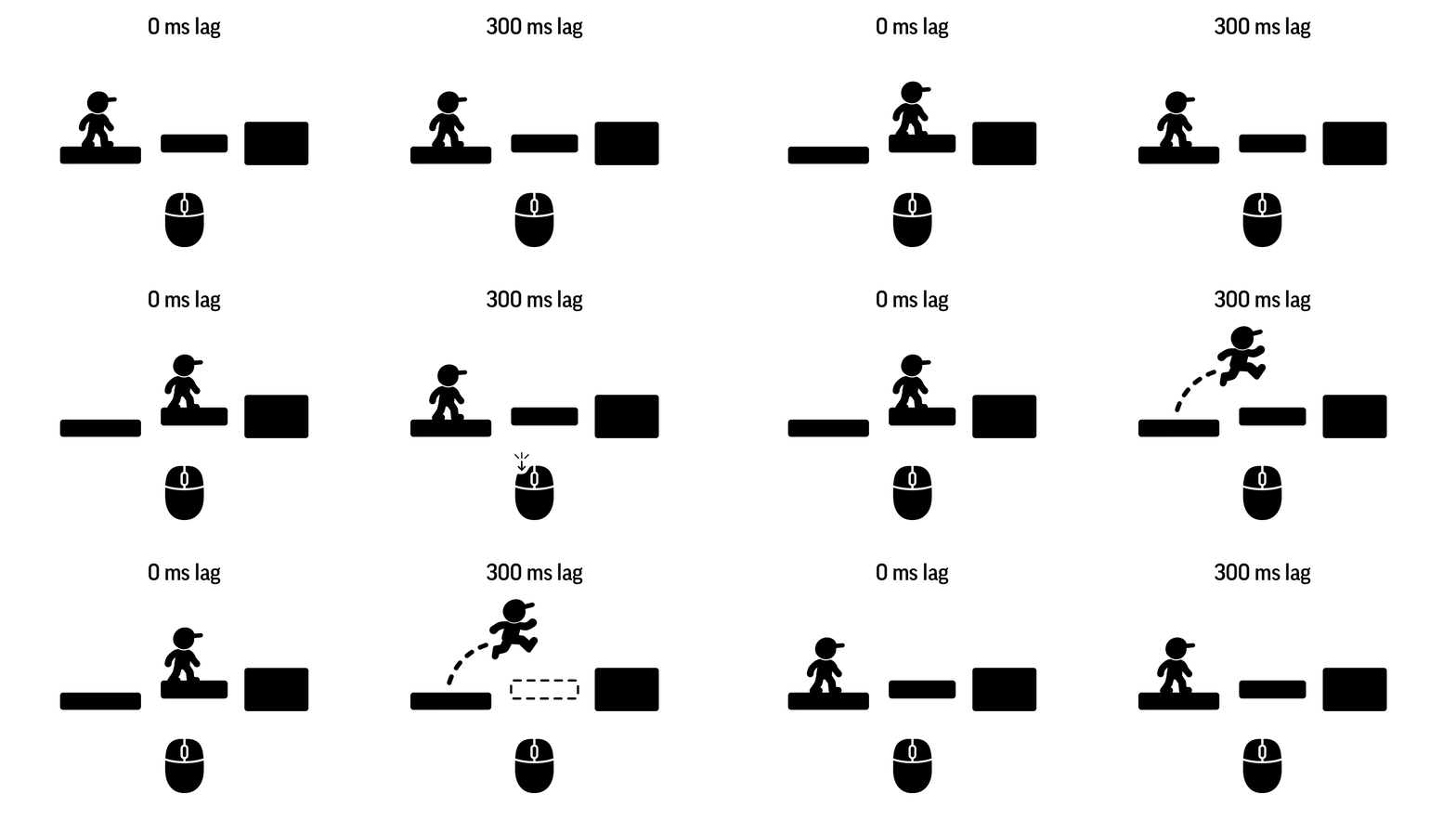
The most effective ways to lower latency focus on reducing what competes for your connection. Most fixes are simple and free, and a few changes to when and how your household uses the internet can make a noticeable difference.
- Let big downloads run overnight: Many game consoles and computers can download updates automatically overnight or while in sleep mode. Turning on automatic overnight updates keeps large downloads from increasing latency when you're gaming, streaming, or on a call.
- Pause uploads during calls and games: Most cloud backup and file-sync apps let you pause syncing from their settings. Pausing backups during video calls or gaming sessions can help keep upload latency low.
- Limit simultaneous streaming and downloads: Fewer devices streaming or downloading at the same time means less competition for your connection.
- Use Ethernet for gaming: A wired connection avoids Wi-Fi issues like signal interference, distance from the router, and devices taking turns sending data.
- Pick a nearby game server: When a game lets you choose a server region, pick one close to where you live.
- Test on another device: If idle latency is high, run a Speedtest on a second device to help narrow down whether the issue is the device or the connection.
- Restart or move your router: If idle latency is high on multiple devices, restart your router or move it to a more central spot in your home.
Understanding what affects your latency, and making a few simple adjustments, can help keep your connection responsive when you need it most.